Always within reach.
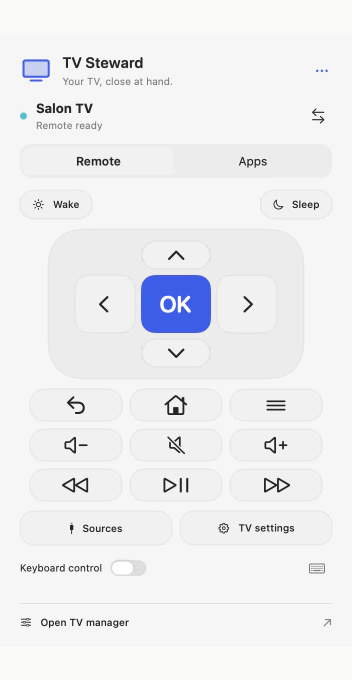
Open your menu bar remote for navigation, volume and media controls.
 TV Steward
TV STEWARD FOR MAC
Preparing for the Mac App Store. A local remote for Android TV / Google TV, Tizen, webOS and TitanOS; available features depend on the TV model and software.
Android TV / Google TV · Tizen · webOS · TitanOS
Apple silicon · macOS 13 or later
A little space.
A lot of control.
Planned platforms for Mac
DESKTOP COMFORTS
Open your menu bar remote for navigation, volume and media controls.
Navigate with keys and send text to supported TV input fields.
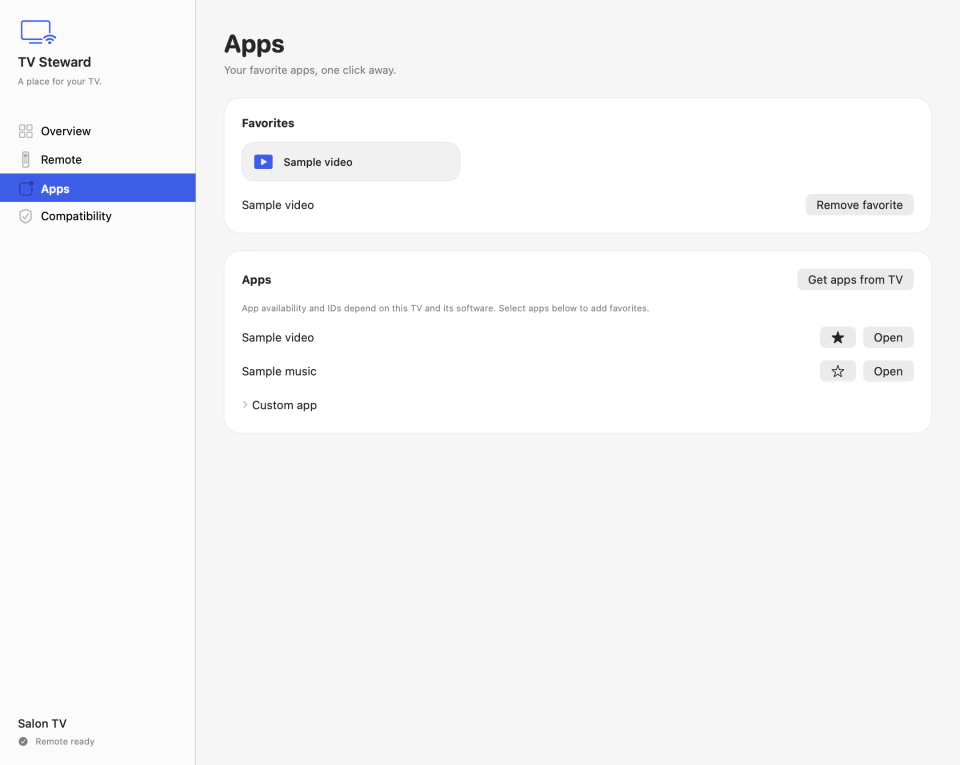
Organise supported ready-made shortcuts and favourites. Ready-made shortcuts are not an installed-app list.
On Android TV / Google TV, ready-made YouTube, Netflix and Prime Video shortcuts need no ADB on supported remote connections. Existing package favourites use separate management authorization. Each shortcut depends on the TV and the installed app.
EXTRA CARE FOR ANDROID TV
For compatible Android TV and Google TV devices, optional management tools put apps, maintenance and change history in one place. Set up management access separately when you need it.
Find your setup guide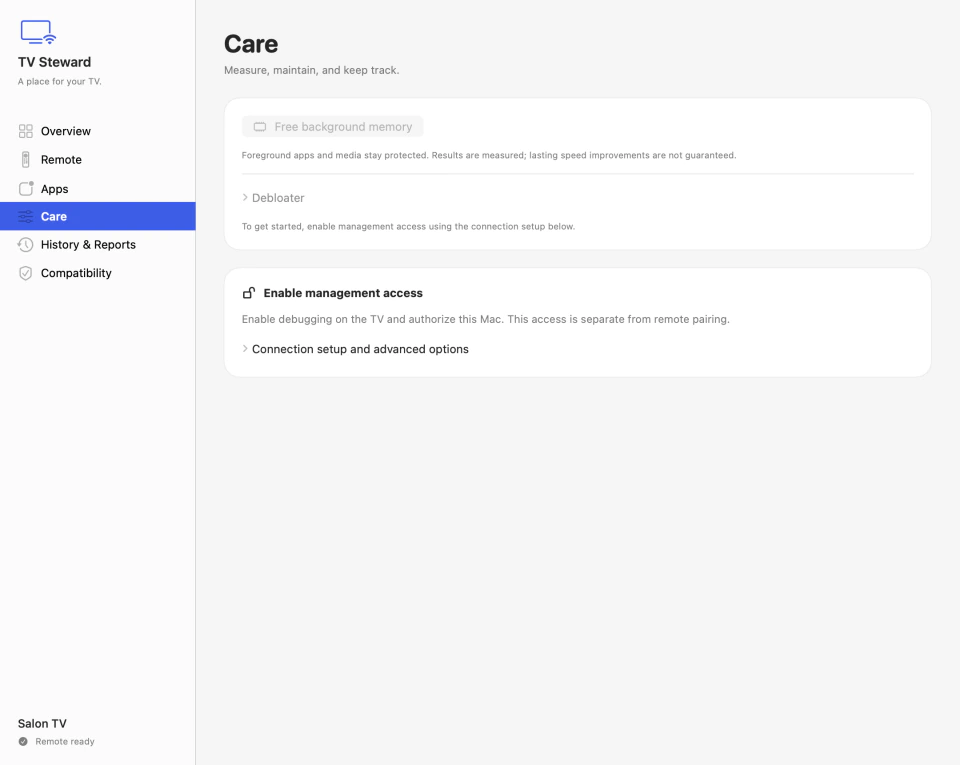
Use the same local network, then select your TV or enter its IP address.
Enter the Android TV code, or approve TV Steward on your Samsung or LG screen.
Use your menu bar remote. Available apps, inputs and text controls follow your TV's capabilities.
The details, made simple.
TV Steward runs on Apple silicon Macs with macOS 13 or later.
No. Tizen and webOS connect through their own TV approval flows. Optional Android management and care tools are specific to Android TV and Google TV.
On Samsung, Sources opens the TV's input menu. On LG, supported inputs can be listed and selected. Android TV input behaviour depends on the device; some models need management access.
Power behaviour depends on the TV and its network standby settings. Wake support may require additional TV setup. The support guide explains the available paths.
MAKE YOURSELF COMFORTABLE
Pick your companion. Put your TV within reach.
Mac and iPhone apps have separate store listings and purchase terms.